ライブ AI 翻訳とキャプション
Teams Translation
Microsoft Teamsのライブ翻訳と字幕を数十の言語で会議に追加できます。すべての会議やイベントをよりインクルーシブで魅力的なものにしましょう。Wordlyなら簡単かつ手頃な価格を実現できます。
.png)
.png)
マイクロソフトチーム翻訳とキャプション
すべての会議やイベントでリアルタイムのTeams翻訳とTeamsキャプションを体験してください。Microsoft Teams ミーティングの音声をリアルタイムでワード処理し、話されている内容を数十の言語に同時に翻訳します。会議参加者は好みの言語を選択します。
Whether you are hosting a global sales kickoff, a marketing stand-up, or a company-wide all-hands, Wordly ensures every participant can follow the conversation securely in their preferred language, or reading same language captions, simultaneously and securely.
Make your meetings inclusive with enterprise-grade translation & captions at an affordable price
Wordly Teamsの会議通訳は、実績のあるAIベースのソリューションを利用しています。リアルタイム翻訳プラットフォームはクラウドベースで、従来の人間による通訳サービスよりも速く、簡単で、費用対効果の高いソリューションを Teams 会議に提供します。
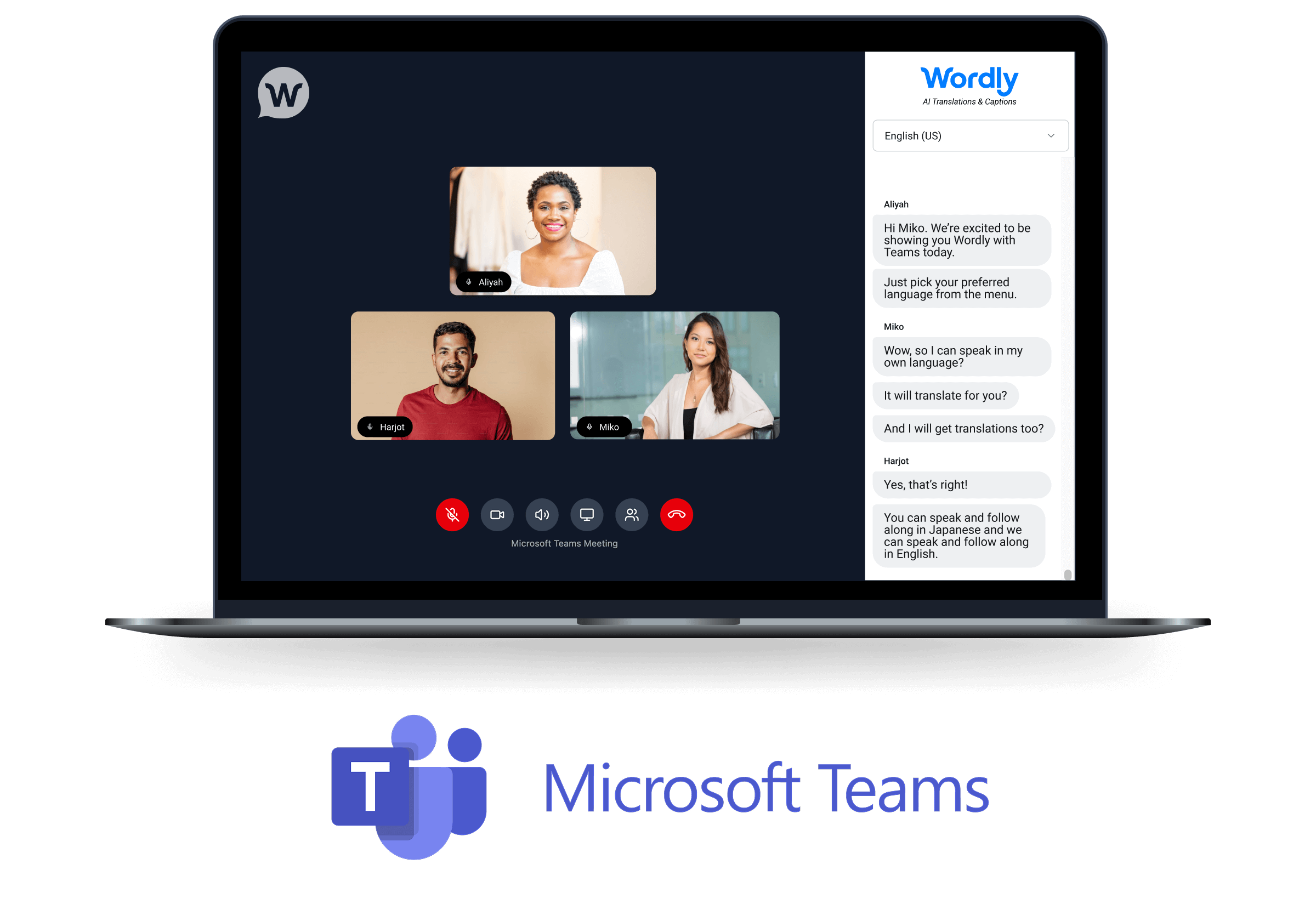
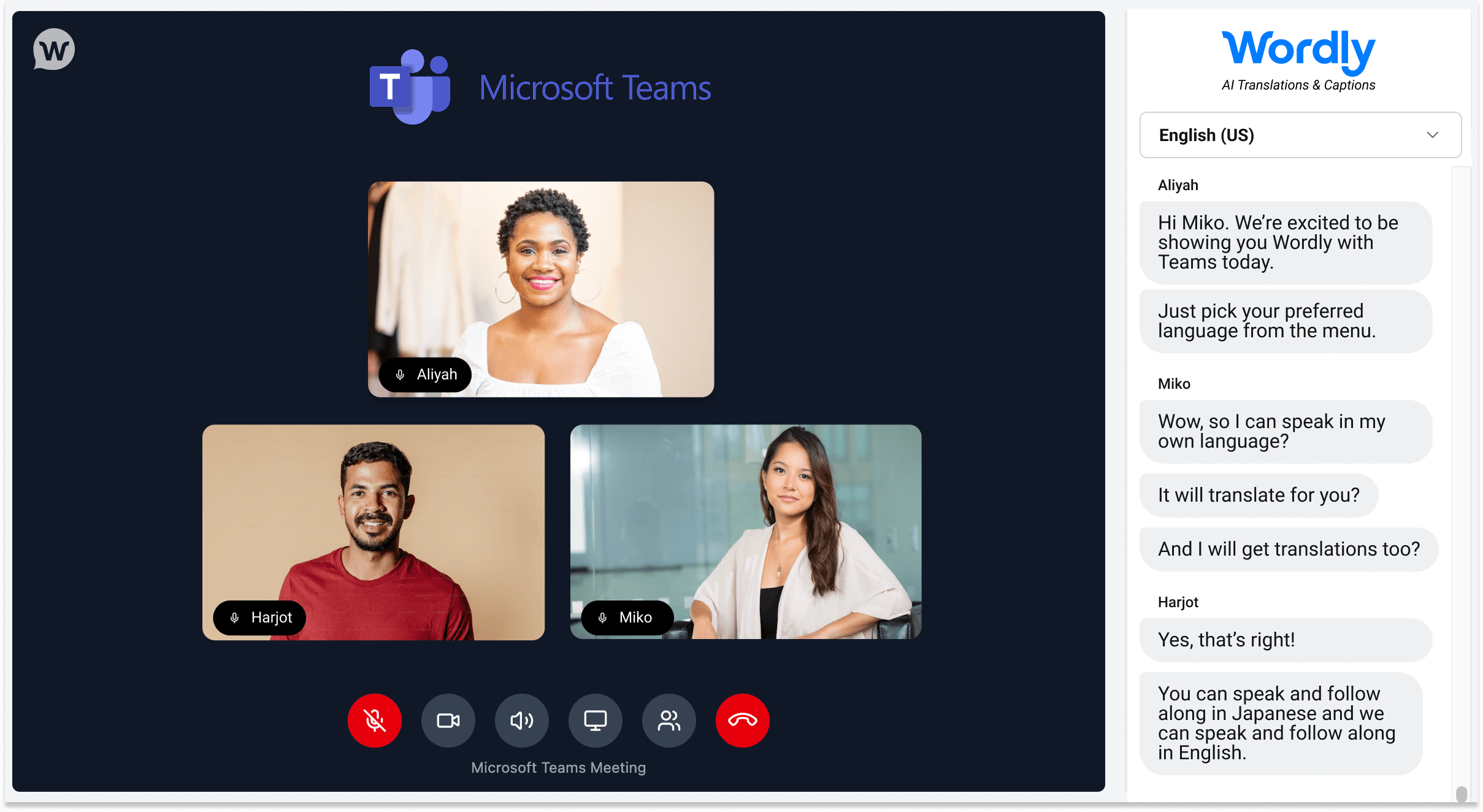
A single, streamlined view
View your Teams video feed and Wordly live translated captions in one intuitive interface. Participants can speak in their own language and read real-time translations without ever leaving the meeting environment.
Seamless speaker identification
Unlike standard integrations, Wordly’s Teams Translation application identifies each participant as a separate audio source. This results in highly accurate transcripts that clearly label exactly who said what, improving clarity for live and post-meeting review.
Flexible scheduling options
Integrate translation into your workflow your way. Use the scheduler to create new calendar invites with Teams Translation built-in, or use the Link Generator to add AI translation to existing Teams meetings instantly.
Enterprise security & control
Meeting hosts retain full control over the meeting environment, including lobby management settings to secure your sessions. Backed by Wordly’s ISO 27001 certification and SOC 2 Type II compliance, you can deploy this across your organization with confidence.
.png)

.png)
世界中の何千もの組織から信頼されています





「AV技術者にとっては実装が簡単で、使用方法を担当者に説明するのも簡単です。初日から最終日まで何の問題もありませんでした。Wordlyのおかげで、フランスのオーディエンスへのマーケティングが可能になり、登録数が増え、アクセシビリティも改善されました。」

「Wordlyは使いやすいです。私たちのスタッフは、セットアップに多くの時間を費やす必要はありませんでした。できる限りプラグアンドプレイに近いものでした。出席者は最小限の指示で翻訳にアクセスできました。」
」非常に正確で、導入が簡単で、用途が広いです。小規模な会議でも大規模なイベントでも使用でき、家族での体験もシームレスです。あなたの組織がインクルーシビティを重視しているのであれば、Wordlyはゲームチェンジャーです。」
.png)
How to use Microsoft Teams Translation with Wordly
With Wordly for Microsoft Teams Translation, your meetings are multilingual in seconds. Here's how to set it up:
- Schedule your meeting: Use the Wordly Scheduler to create a new calendar invite with translation already integrated, or use the Link Generator to instantly add AI translation to an existing Teams meeting.
- Invite attendees: Share the unique, custom link with all participants. This link provides access to a browser-based, unified window that seamlessly combines the video feed with live translation.
- Engage and collaborate: Once in the meeting, participants can select their preferred language to see real-time captions and access a live transcript that syncs perfectly with the conversation, ensuring everyone can follow along.
Every Teams Translation meeting also generates text transcripts, voice transcripts, and summaries in dozens of languages. Great for simplifying post-meeting tasks like sharing actionable next steps and sending to any teammates who couldn’t join.
これらのWordlyリソースをチェックしてください。
その他のリソース -Microsoft Teamsイベントをより包括的で生産的なものにするためのその他のAI翻訳およびキャプションリソースについては、以下をご覧ください。 すべてのリソース。
Wordly 翻訳パッケージ
Wordlyでは、パーソナライズされたサポートとトレーニングを含む包括的なソリューションにより、会議にライブ翻訳や字幕を簡単に追加でき、迅速に作業を開始できます。
多くの組織は、60時間のライブ翻訳と字幕を含むWordly Pro+パッケージから始めます。これは、1年間に1か月に複数の会議をカバーするのに十分です。これは、スタッフミーティング、従業員研修、顧客イベント、その他さまざまなセッションに使用できます。1 か月あたりの会議数が多い場合は、いつでもパッケージに時間を追加できます。すべての Wordly 言語が 1 時間単位の固定料金で含まれているため、予算を簡単に管理できます。
すべての翻訳パッケージには以下が含まれます。
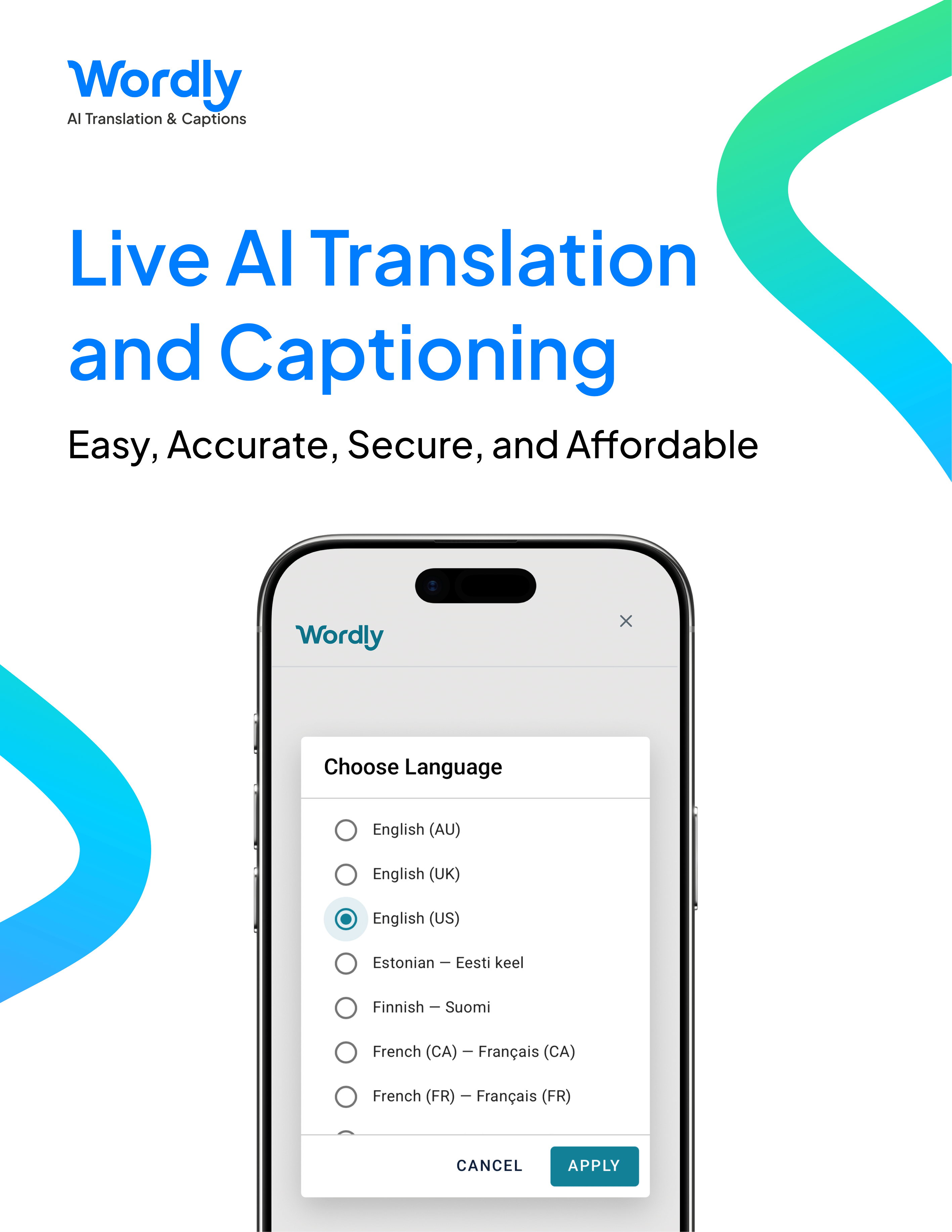
ライブ AI 翻訳とキャプション -会議の内容を音声出力とテキスト出力の両方にライブ翻訳できます。参加者は聞きたいか、読むかを選択できます。
豊富な言語オプション -各参加者は、すべてのWordlyサブスクリプションに標準装備されている数十のオプションからお好みの言語を選択できます。Wordly は多方向翻訳を提供しているため、何千もの言語ペア (英語からスペイン語、スペイン語からベトナム語、フランス語からスペイン語など) をサポートできます。英語、スペイン語、その他の Wordly がサポートする数十の言語で会議を行うことができます。すべて見る 言語通訳 オプション。
カスタマイズ可能な用語集 -組織独自の名前やその他の重要な用語の用語集をカスタマイズして作成し、正しく翻訳されていることを確認できます。
フレキシブルな配信フォーマット -Zoom、Teams、またはその他のビデオプラットフォームを介して、対面参加者と仮想参加者の両方にWordlyを提供できます。ハイブリッド会議をサポートするために複数の形式を使用しても、追加料金はかかりません。
パーソナライズされたオンボーディング -オンボーディングプロセスをガイドするカスタマーサクセスチームメンバーを割り当てます。これには、アカウントセットアップ、管理者トレーニング、統合支援、翻訳用語集作成、ドレスリハーサルテスト、プレゼンターコーチング、テクニカルサポートが含まれます。
簡単セットアップ -オンボーディングが完了すると、会議用にWordlyを設定するのに10分もかかりません。
簡単アクセス -参加者は2つの簡単なステップでWordlyにアクセスできます。対面式のイベントでは、携帯電話で QR コードをスキャンして言語を選択すると、ライブ音声とキャプション出力にすぐにアクセスできます。バーチャルイベントでは、コンピューター上のリンクをクリックして言語を選択すると、ライブオーディオとテキスト出力にすぐにアクセスできます。
表示オプション -また、お住まいの地域のモニターに字幕を表示して、他のユーザーが携帯電話を使わずにフォローできるようにすることもできます。
トランスクリプトと要約 -すべてのセッションの後に完全なトランスクリプトと短い要約にアクセスできます。報告要件に対応するため、数十の言語に翻訳できます。
特殊装備なし -WordlyはAIを搭載しているため、特別な機器は必要ありません。
手ごろな価格 -価格は購入された時間数に基づいています。また、ボリュームディスカウントも提供しています。すべての Wordly 言語の音声出力と字幕出力、テキストトランスクリプト、要約が 1 つの固定料金で利用できます。Wordly は AI を利用しているため、言語ごとに個別の通訳者を雇う必要はありません。人間の翻訳者を使用する場合のコストと比較して、50~ 90% 節約できます。
一目でわかるチーム翻訳
チーム翻訳機能
Wordlyは、すべての会議やイベントにライブ翻訳を提供できる幅広い機能を提供します。
主な機能の 1 つは次のとおりです。
迅速で簡単なセットアップ
ライブ翻訳セッションの設定は数分で完了し、IT部門の関与も必要ありません。
すべて見る チーム翻訳 特徴。
Teams 翻訳に関するよくある質問
Wordlyは、お客様がすぐに使い始めることができるように、パーソナライズされたオンライン支援を幅広く提供しています。
よくある質問の1つは次のとおりです。
Wordly セッションごとに使用できる言語の数に制限はありますか?
いいえ。参加者は同じセッションで Wordly がサポートしているすべての言語を使用できます。
もっと見る 質問。
チーム翻訳見積もり
お客様は、迅速なセットアップ、使いやすさ、豊富な機能、手頃な価格で、Wordlyを気に入っています。
ある満足している顧客はこう言っています。
「ソフトウェアによるペースの速い翻訳を楽しんでいます。これにより、イベントの実行が迅速かつスムーズになります。設定が簡単で、トランスクリプトに正しい単語が追加されていることを確認できます。」
何を見る 顧客 言っている。
.png)
.png)




%20(1)%201.png)
詳細を確認する準備はできましたか? ワードリーについて?
.png)



Frequently Asked Questions about Wordly for Microsoft Teams
How does Wordly for Microsoft Teams work?
Wordly for Microsoft Teams is a browser-based application that pairs AI translation with your Teams meeting in a single, unified window. You can schedule a new meeting with translation built in using the Wordly Scheduler, or add translation to an existing meeting with the Link Generator. Participants join via a unique link that opens the meeting video feed alongside live translation and captions.
Do participants need to download any software?
No. The Teams Translation application is entirely browser-based. Participants simply click the provided link to join and access real-time translation in a unified window.
What languages are supported?
Wordly provides Teams Translation and captions in dozens of languages. Participants select their preferred language from a dropdown menu when they join.
Can I use Wordly for both scheduled and ad-hoc Teams meetings?
Absolutely! Our Teams Translation application is designed for maximum flexibility. You can use the Wordly Scheduler to plan translated meetings in advance or use the Link Generator to instantly add AI translation capabilities to any spontaneous or existing Teams meeting.
Do I need a Teams subscription to use this product?
Attendees are not required to have a Teams license to use Wordly translation. Only the person scheduling and hosting the meeting needs a Teams license.
Can we still use the Teams meeting bot if we don’t have a subscription to Teams?
Yes, you can still use the Teams Translation Wordly meeting bot option without a Teams subscription.